


Clap to Find My Phone: Whistle
4.541.00 Reviews
App Specs
- Version
- 3.2.2.1
- Updated On
- License
- Free
- Downloads
- 5,000,000+
- Developer
- Firehawk
- Categories
- Personalization
- Platform
- Android
Screenshots
 Analysis by AppCompare
I tend to notice a phone is missing at exactly the wrong moment: when I’m heading out, when dinner is ready, or when someone else needs the room. Clap to Find My Phone: Whistle is built for that small, familiar problem. Instead of asking me to borrow another device and call mine, it offers a sound-based way to prompt a misplaced phone to make itself easier to locate. That makes it especially interesting in a busy household, where a phone can slip under a cushion or be left in another room without anyone remembering who last had it.
My view is that Clap to Find My Phone works best as a handy backup, not as a full phone-finding or family-location system. The idea is simple enough to explain to other people in the home, but the usefulness depends on the phone being nearby and able to respond. If you often misplace your device around the house, the app’s focused approach may save a few minutes of searching. If you need to locate a phone that has been taken outside, switched off, or left somewhere beyond earshot, a different tool is the more sensible choice.
When one phone disappears in a shared home
I find a shared-home search goes more smoothly when we first agree on the likely area instead of having everyone call out or rummage at once. One person can check the sofa while the owner tries the sound cue, keeping the search calm and making it easier to notice a response. That simple division of attention leads to a more important question: whose phone is being set up, and who gets to decide how it is used?
A quick search without borrowing another device
The familiar alternatives are to retrace your steps, ask someone to call your number, or use a device-finding service from another screen. Each has a drawback. Retracing steps can turn into a tour of every room, calling requires another person or device, and a remote finder is most useful when you already have access to the right account or browser. A clap- or whistle-triggered approach is appealing because it aims at the common case: the phone is close, but hidden from view.
Imagine a shared living room after everyone has settled in for the evening. One person remembers using their phone on the sofa, another has moved a blanket, and nobody wants to interrupt the room by searching through bags and cushions. A sound-based finder gives the owner a simple thing to try before asking everyone to help. It does not settle who owns a phone or where it has been; it just offers a practical cue for finding a nearby device.
That distinction matters when several people share a home. Each person should treat the app as a tool for their own phone rather than as a way to manage everyone else’s devices. If a roommate or family member is borrowing the phone, agree on who will use the sound trigger and when. A clear, casual understanding is more useful than assuming the app provides household coordination or account-sharing features.
Useful for nearby mix-ups, not remote recovery
I would reach for this kind of app when I can picture the phone being somewhere in the same home: perhaps on a desk beneath papers, tucked between sofa cushions, or left in a bedroom after I carried laundry downstairs. It is less suited to a phone that might be in a taxi, at work, or at a friend’s house. Sound can help narrow a nearby search; it cannot replace the broader locating tools designed for a device whose location is unknown.
Worth Reading Before You Choose

Baby Panda World Brings Quick Play to Modern Phones, but Its Game Library Feels Busy

ESPN’s Live Game View Makes Following Close Games Easier

QuizzLand Review: A Good Fit for Short Trivia Breaks, Not Every Player

Basketball Stars: Multiplayer Is Fast, but Can It Recover When Matches Go Wrong?

WEBTOON Turns Phone Updates Into a Better Reading Routine

Link to Windows Runs on Shared Habits, Not Social Feeds
There is also a useful difference between “lost in the house” and “out of sight but not necessarily nearby.” A phone in a closed bag or behind a thick cushion may be harder to hear than one lying on an open table. I would first try the sound cue from a couple of positions rather than assume the app has failed. Then I would check the obvious soft furnishings and pockets, where phones often disappear without traveling far.
Make the first attempt count
For a household, the practical way to try the app is to set it up while the phone is in hand, then test the idea in a quiet room before relying on it during a real search. That gives the owner a sense of how to use the trigger and what response to listen for. It also avoids the awkward moment of discovering that nobody knows how the app is meant to be used when the phone is already missing.
I would keep that test modest. Try it with the phone placed somewhere ordinary, such as a nearby table or couch, and learn what works in your own room. Household acoustics vary: a quiet bedroom is not the same as a kitchen with running water or a living room full of conversation. Knowing that difference helps set expectations without turning a small convenience into a complicated routine.
Setup, boundaries, and everyday coordination
I would treat setup as an individual choice, even when the app is useful to the whole household. Before anyone helps, the owner can decide whether to trigger the sound themselves or ask another person to join the search; that keeps coordination practical without implying shared accounts or controls. With those boundaries clear, it becomes easier to judge whether the app fits the people and routines in the home.
Keep ownership and account access clear
Because this is a personalization app for a phone, the cleanest arrangement is for each person to configure their own device. That keeps the basic responsibility straightforward: the owner decides how their phone is set up, and others can help search when invited. I would not assume that installing it on one person’s phone creates a shared household locator or gives another person access to a different device.
This is particularly worth remembering in homes with shared tablets, borrowed phones, or a device that changes hands. Before installing anything on a phone someone else uses, check with its owner and make sure they are comfortable with the setup. That is ordinary digital courtesy, and it prevents a convenience app from becoming a source of confusion about who controls a device.
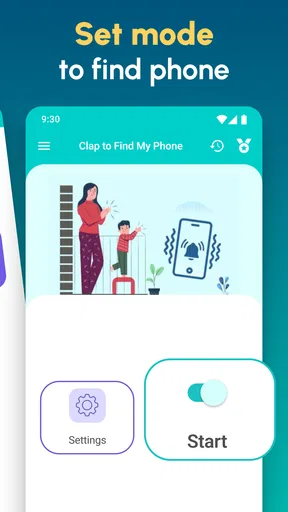
At setup time, I would also take a moment to understand the app’s own controls and any prompts it presents. The exact options can depend on the current build and the phone, so it is better to read what appears on your screen than to rely on assumptions from another person’s device. If a prompt or setting is unclear, pause and decide whether it fits how you want to use the phone before continuing.
Coordinate the search, not the phone
In a shared home, people can make the search easier without sharing accounts. One person can trigger the app on their own phone while another checks the likely room, or the owner can tell everyone where they last used it. This is a simple division of effort, not a special multi-user system. I like that mental model because it keeps the app’s job narrow and avoids expecting it to organize a household for you.
A small coordination habit can make a real difference: agree that the phone’s owner will try the sound trigger first, while everyone else avoids calling the device at the same time. Multiple attempts or competing noises can make it harder to tell what worked. If the first try does not help, switch to a calm room-by-room search instead of repeating the same action from across the house.
There are trade-offs here. A sound-based signal is convenient when the environment is quiet and the phone is within reach, but it may be easy to miss during a lively gathering or in a noisy kitchen. If a household routinely needs to find one another’s devices across different locations, a dedicated device-finding service is likely a better fit. This app’s appeal is precisely its smaller scope: it addresses the phone that is probably nearby.
Children, trust, and sensible expectations
The app is rated for Everyone, which makes its general audience broad, but that rating is not a substitute for a parent’s judgement about a child’s phone. I would explain what the app is for and let the child know that a sound may be used to locate their own misplaced device. The goal should be a practical household habit, not a way to monitor someone without their understanding.
For younger children, an adult can help with setup and show them how to look for the phone after using the trigger. For older children and teenagers, I would make the boundary explicit: this is for finding a nearby phone, not for tracking a person or checking up on them. The app’s role should remain clear, especially in a shared home where devices may be borrowed or left in common areas.
It is also wise not to treat the app as a guarantee. A child’s phone might be somewhere noisy, inside a backpack, or away from the house entirely. In those situations, the right next step is to use the family’s usual communication plan or a suitable device-finding option, rather than assuming a sound prompt can solve every missing-phone problem.
What the app offers—and what it asks of you
Clap to Find My Phone is a free app from Firehawk, with optional in-app purchases ranging from ninety-nine cents to ninety-nine dollars and ninety-nine cents per item. I would look at the purchase details in the app before paying for anything and decide whether the free experience already suits the narrow job I need it to do. A high maximum purchase price does not tell me what a particular item includes, so I would not buy on assumption alone.
It has an average rating of four point five from around fifty-one thousand ratings, and it has been installed more than five million times. Those figures suggest that many people have tried it, but they do not answer the question that matters most in a particular home: whether its sound-based method is convenient on your device and in your surroundings. I would test it in the rooms where phones most often go missing before making it part of a routine.
The app was released on July fifteenth, twenty twenty-two, and its current version is three point two point two point one. It requires Android nine or later. That makes checking the phone’s software version a sensible first step if you are considering installing it on an older device. The app is free to download, but the presence of optional purchases means I would review the purchase screen rather than treat every feature as necessarily included at no cost.
For me, the main friction is not the basic idea; it is the expectation users bring to it. “Find my phone” can sound like a broad promise, but a sound-triggered tool is best judged as a nearby search aid. It is not the same as remote location, a way to recover a stolen device, or a substitute for backing up important information. Keeping that distinction in mind makes the app easier to evaluate fairly.
Who should choose another option
If your main concern is a phone that may be lost outside the home, start with the phone’s built-in device-finding service or another remote locator suited to your platform. Those tools address a different problem and are better for checking a device’s location when you cannot hear it. If you regularly leave your phone in public places, a sound prompt should be only a minor extra, not your recovery plan.
I would also skip this app if you want to locate several household members’ phones from one account, manage devices centrally, or monitor someone’s whereabouts. Those are different needs, and it would be unfair to expect this focused personalization app to provide them. In a noisy workplace or a home where phones are often muted and buried in bags, a visual routine—such as always leaving devices in a chosen charging spot—may be more dependable than any sound-based search.
My household verdict
I see this as a practical little safety net for the everyday “where did I put my phone?” moment. It is easiest to recommend to someone who usually loses their device within the same home, wants a simple alternative to asking for a call, and is comfortable testing the app on their own phone. The fact that it is free to start lowers the barrier, while the optional purchases are a reason to check the in-app choices before spending.
For shared homes, its best use is modest and cooperative: each person sets up their own device, knows how to try the sound trigger, and asks for help when needed. It does not replace clear boundaries, a remote-finding service, or a sensible place to put phones at night. But when a phone has slipped out of sight a few rooms away, that focused approach is exactly why I would keep it in mind.
Pros
- Can help locate a misplaced phone when it is nearby.
- Hands-free activation is useful when your phone is out of reach.
- Offers an alternative to searching manually through rooms and bags.
- May be handy for users who often misplace their device at home.
- Simple concept that is easy to understand and try.
Cons
- The phone must be powered on and able to play sound.
- Clapping or whistling may trigger alerts in noisy environments.
- Detection may be less reliable if the phone is far away or muffled.
- The sound can disturb others in quiet or shared spaces.
- Background listening may affect battery life and raise privacy concerns.
FAQs for Clap to Find My Phone: Whistle
How does Clap to Find My Phone: Whistle locate a missing phone?
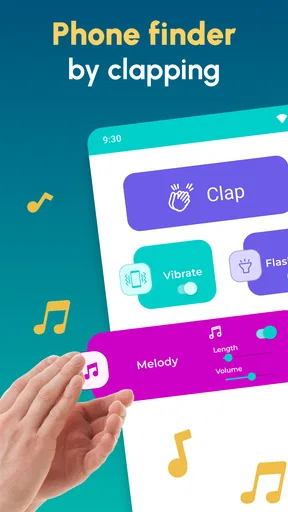
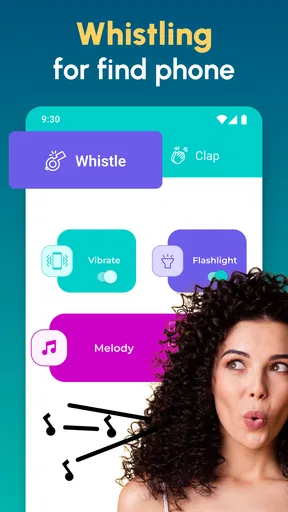
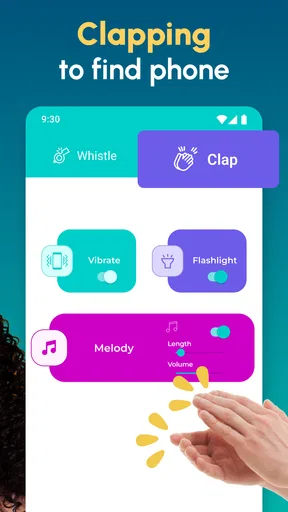
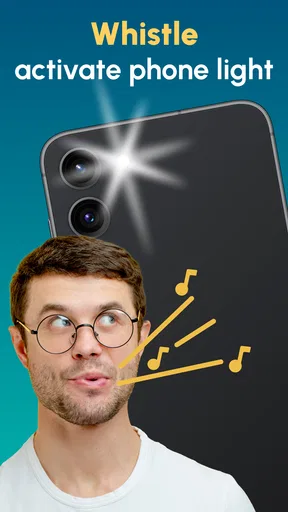
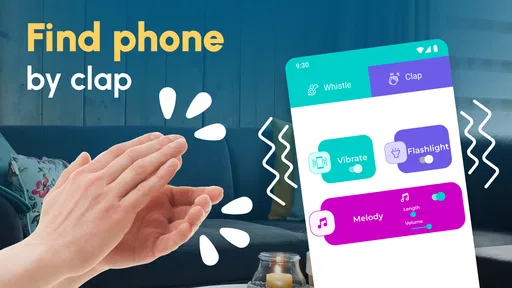
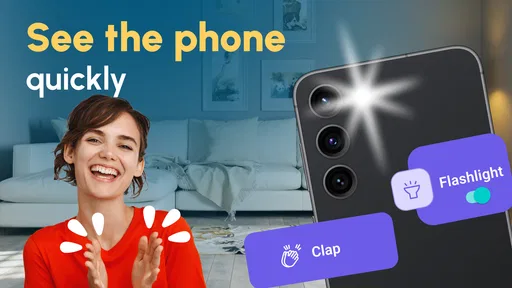
The app is designed to react to a sound, such as a clap or whistle, and make your phone easier to find by playing an alert, vibrating, or activating its light, depending on the features available in your version. You generally need to enable the detection service and grant the requested permissions first. It cannot pinpoint a phone’s location on a map; it helps you find a nearby device by sound or other alerts.
What permissions does the app need, and why?
To listen for a clap or whistle while you are not actively using the app, it may request microphone access and permission to run a background service. It may also request access to notifications, the camera light, or vibration controls for its alerts. Review the permission prompts and the app’s privacy information before continuing. Availability and wording can differ by Android or iOS version, and denying a permission may prevent the associated feature from working.
Will Clap to Find My Phone: Whistle work when my phone is locked or silent?
It may work with the screen locked if its detection service is running and your device allows background listening, but performance depends on operating-system settings, battery restrictions, and the app’s configuration. Silent or Do Not Disturb settings can also affect whether an alert is audible; vibration or flashlight alerts may be alternatives if supported. Test the setup before relying on it, since the app may not detect sounds consistently in every environment or state.
Does the app work in noisy places or from far away?
Clap and whistle detection is most useful when the phone is nearby and the surrounding area is reasonably quiet. Television, conversation, music, or other sharp sounds can make detection less reliable or trigger an unwanted response. Walls, furniture, and distance may also muffle the sound before it reaches the microphone. Adjust the detection sensitivity if the app offers that setting, and try a short test in the rooms where you expect to use it.
Is Clap to Find My Phone: Whistle free, and is it safe to download?
Pricing, advertising, optional purchases, and feature availability can vary by store listing and app version, so check the current details before installing. Download it from the official Google Play Store or Apple App Store, verify the developer and recent reviews, and read the privacy policy to understand how microphone access and any collected data are handled. Avoid unofficial download files, and remember that battery use may increase if sound detection stays active in the background.


